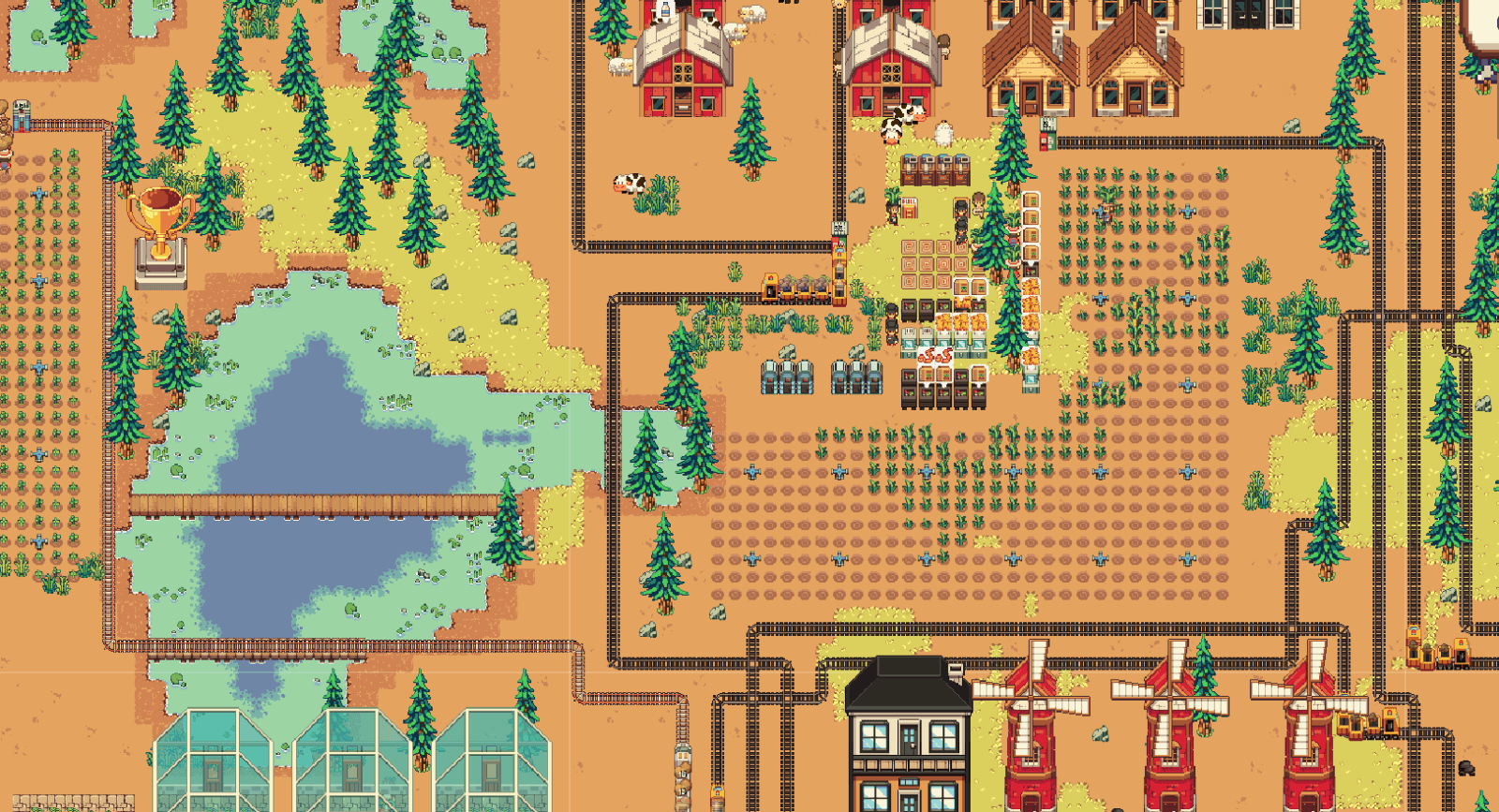
Not everything can be explained in-game, so the rest goes here: the shortcuts and quality of life tricks that save you time.
This page is a work in progress.
Tools
Most of the clicking you do with a tool is optional.
Drag, don't click tile by tile
Hold the Left Mouse Button and drag across the field. The tool keeps working on every tile you pass, and the game fills the line between tiles, so you can drag fast without leaving holes.
Works with Hoe, Harvest, Axe, Pickaxe and Place.
Shortcuts:
Right Mouse Button, put the tool away and go back to Select.
Esc, cancel whatever is in progress.
Supreme tools
Supreme tools are the upgraded Hoe, Harvest, Pickaxe and Axe, unlocked in Research. They give you two things:
Area mode.Ctrl + drag a rectangle, release, and the whole area is worked at once. Esc before releasing cancels.
One-hit felling. Supreme Axe and Pickaxe drop any tree or ore node on the first hit.
Ctrl does nothing with a normal tool.
Ctrl and Alt drag without Supreme tools
Three area actions need no research:
Select + Ctrl + drag, box-select workers.
Select + Alt + drag, box-select animals.
Place + Ctrl + drag, fill an area with floor-type items.
Marking Workers, Animals & Area Placing
The inputs players find last, and the ones that save the most clicking.
Mark workers, Ctrl + drag
With the Select tool, Ctrl + drag a rectangle. Every worker inside is marked.
Ctrl + click a worker to add or remove one.
Only workers in zones you own.
Right click a zone to send the whole group there. Busy workers finish their job first, then follow.
Esc or a normal left click clears the marking.
Mark animals, Alt + drag
Same thing with Alt instead of Ctrl.
Dragging only, there is no Alt + click on one animal.
Only animals in zones you own.
Right click a zone to move the group there.
A zone only takes as many animals as it has free sleeping spots, the rest stay put.
Esc clears the marking.
Area placing, Ctrl + drag with the Place tool
Pick a floor-type item (floors, railroads, anything covering the ground), then Ctrl + drag a rectangle to fill every valid tile at once.
No Supreme upgrade needed.
Ground items only. Machines, buildings and decorations go down one at a time.
Placing stops when the stack runs out.
Esc before releasing cancels.
Copy and Paste a Configuration, C and V
Setting up the tenth furnace by hand is the biggest hidden time sink in the game. Any crafting station or train wagon can have its setup copied onto another one.
Shortcuts:
Hold C and click a configured station or wagon to copy.
Hold V and click another one to paste.
No Ctrl involved, and the key must stay held while you click, so a stray click never overwrites anything.
Only settings travel, never the contents, and the station must be assigned to workers first. The target has to be the same kind of station and must know the recipe, otherwise nothing changes.
Pasting the item a station is already making just retunes it. Pasting a different item cancels the craft and refunds the ingredients.
Batch paste, hold V and drag a rectangle
The real time saver. With a station setup copied, hold V and drag a rectangle, then release to apply it to every compatible station inside.
Works with the Select or Place tool, no research needed.
Stations only. Wagons are pasted one at a time.
Wrong type or missing recipe, the station is skipped.
Only zones you own.
Releasing V first, or Esc, cancels.
Transit Depot
Give a depot one item and one neighbouring zone and the loop runs itself: workers stack that item into the depot, and once it holds a full load someone carries it to a storage in the target zone.
Setting one up
Click a depot to open its window. Two settings are required:
Allowed Item, the one item it moves. Without it the depot does nothing.
Target Zone, where a full load goes. Only zones next door that you own and that have a storage. For longer hauls, chain depots zone by zone or use a train.
Two optional settings:
How full it gets before hauling. Low means items move sooner but in many small trips. Set it near your workers' carry capacity for one trip per load.
Stock ceiling on the target zone. Hauling pauses while the destination already holds enough, so a depot never drains one zone or buries the other.
It needs a worker
A depot is not a machine, it is a task board. Every step is done by a logistic worker in the depot's zone. No worker, no movement, however it is configured.
Items come from that zone's own storage.
Filling only needs the item. With no target zone, workers fill the depot and leave it full, which is a fine buffer.
Workers spread over several hungry depots, so a second depot in a zone is not wasted.
Loading it by hand
The depot's slot works like any other, handy for kickstarting a route without waiting for a worker. Demolishing a depot never eats its contents, everything returns to your inventory.
Trains
A train runs between two depots as far apart as you care to lay rail, and moves a full wagon load per trip.
All the loading is done by logistic workers in the zones where the train parks. The train itself never picks anything up.
Building one
1. Two depots. A Train Depot at each end, one where the goods are made, one where they are needed. A single depot moves nothing.
2. Rail between them.Railroad is a floor-type item, so Place + Ctrl + drag works. The line has to be continuous, a train with no path never leaves.
3. A head next to the depot. Place a Train Locomotive on a rail tile touching the depot. That creates the train. A head only goes next to a depot or a wagon, never on open rail.
4. Wagons in a row. Each one must touch the previous piece. 10 wagons at most.
5. A second head to close it. The train is complete when it reads depot, head, wagon, ..., wagon, head, one unbroken chain with no branches. The head window lists whatever is still missing.
The depot pays for every departure
Fuel is spent by the depot the train leaves from, not by the train.
Train Depot, burns Coal, one per wagon per trip. A ten-wagon train costs ten coal per departure.
Volt Depot, one battery per trip, whatever the length.
Power Depot, no fuel. It charges off the electricity grid while idle and spends stored charge per wagon. A starved grid means a train that sits still.
An alert on a depot says which it is: no power, out of fuel, or not enough fuel for a train this long.
Volt trains are a separate network
Volt heads, wagons and depots run on Volt Railroad and never mix with the regular kind. A Volt Wagon also carries twice as much, 80 against 40.
Running it
Click any head to open the train window.
Turn the train on. While it is off, workers ignore it completely.
One head loads, the other unloads, always opposite. The one that counts is the head next to the depot, which flips as the train turns around. That is what makes the round trip work.
Wait time, how long it stays parked before leaving. A train that leaves half empty usually just needs a longer wait.
Simple departure leaves when the timer runs out, Precise leaves at a set point of the day, per depot, 0% dawn and 50% midday.
Same or opposite, follow the head's mode or reverse it. Set one wagon to opposite and the train hauls both ways instead of returning empty.
Keep in zone, what the source zone always keeps when loading.
Zone limit, what the destination may hold before unloading stops.
Wagon settings copy with C and paste with V, one wagon at a time.
Tip: Nothing being loaded? Check: the train is off; it is not parked, workers never touch a moving train; no logistic worker in that zone; the wagon has no allowed item, or the zone has none of it; Keep in zone or Zone limit is met; the depot has no fuel.
Adding a wagon, place it past the end head
A finished train is capped by a head at both ends, so there is no gap to build into. Place a wagon on the free rail tile just past the end head anyway: the head steps out onto that tile and the wagon takes the cell it left. Repeat to keep lengthening the train.
It only works when:
The train is parked.
The tile is empty rail of the same kind.
It is the outer head, the depot-side one cannot step out.
The train is under 10 wagons.
The head is not on a railroad bridge.
Shrinking a train, pickaxe a wagon
Pickaxe any wagon and the train closes up behind it, everything past the gap slides one tile toward the depot, so the chain never breaks in two.
So keep clicking the same tile and the train shortens wagon by wagon under your cursor. Stop at the length you want. Keep going and the end head arrives there, and the next click removes it.
The wagon and its contents go back to your inventory.
Below one wagon, or with a head missing, the train is incomplete and stops running.
A train in transit cannot be pickaxed, wait for it to park.